IPTV applications are often built around a simple idea: load a playlist, display a channel list and start streaming.
But as IPTV libraries grow larger, that basic approach quickly shows its limitations.
Users may have multiple sources, hundreds of live channels, movies and series, program guide information, favorite channels and different people using the same device.

IPTVIQ takes a more complete approach.
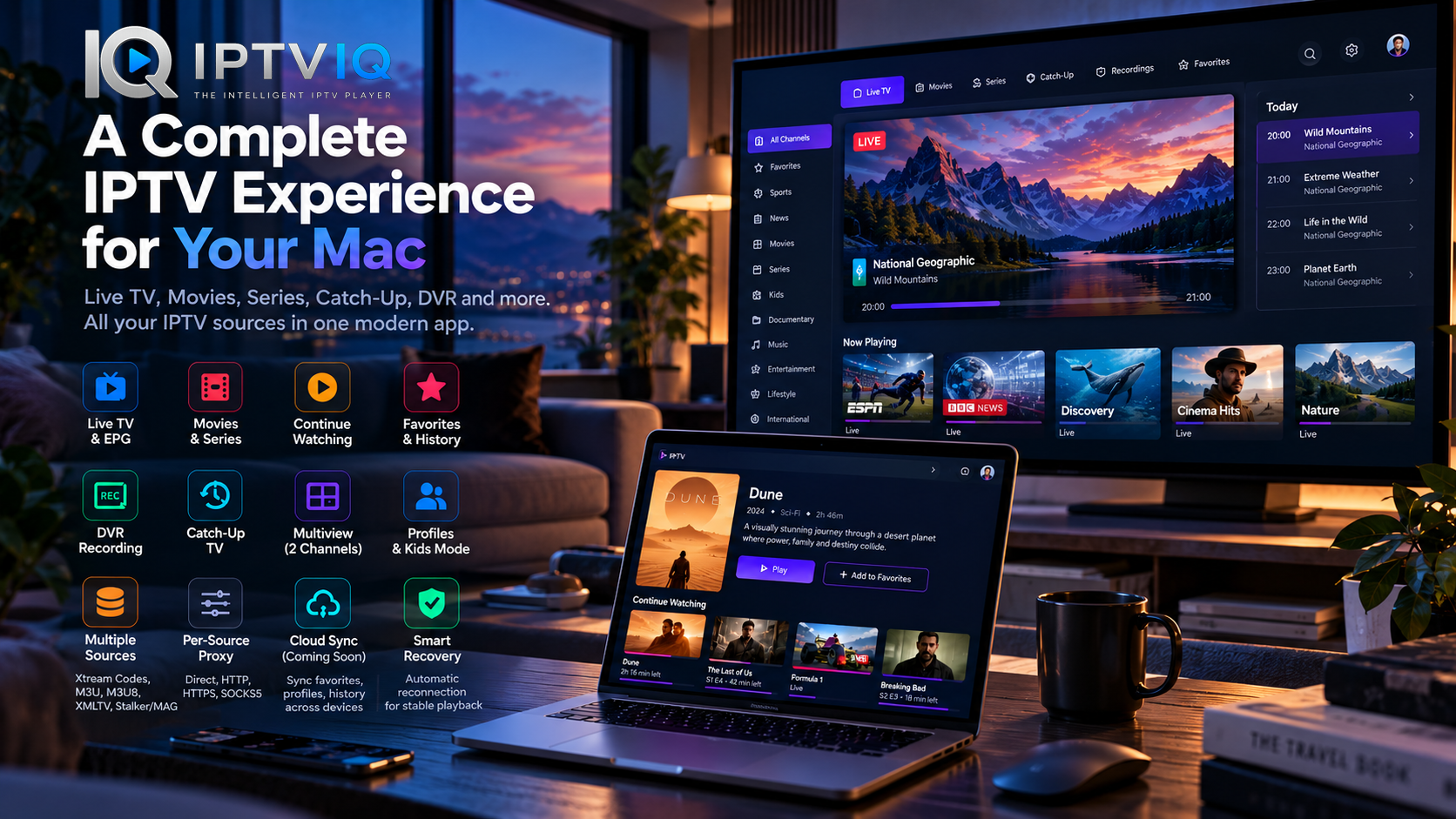
Built as a native IPTV player for macOS, IPTVIQ combines Live TV, movies, series, EPG, profiles, DVR, Catch-Up, Multiview and advanced source management inside one organized application.
Instead of replacing your IPTV provider, it works with sources you already have and are authorized to use.
What Is IPTVIQ?
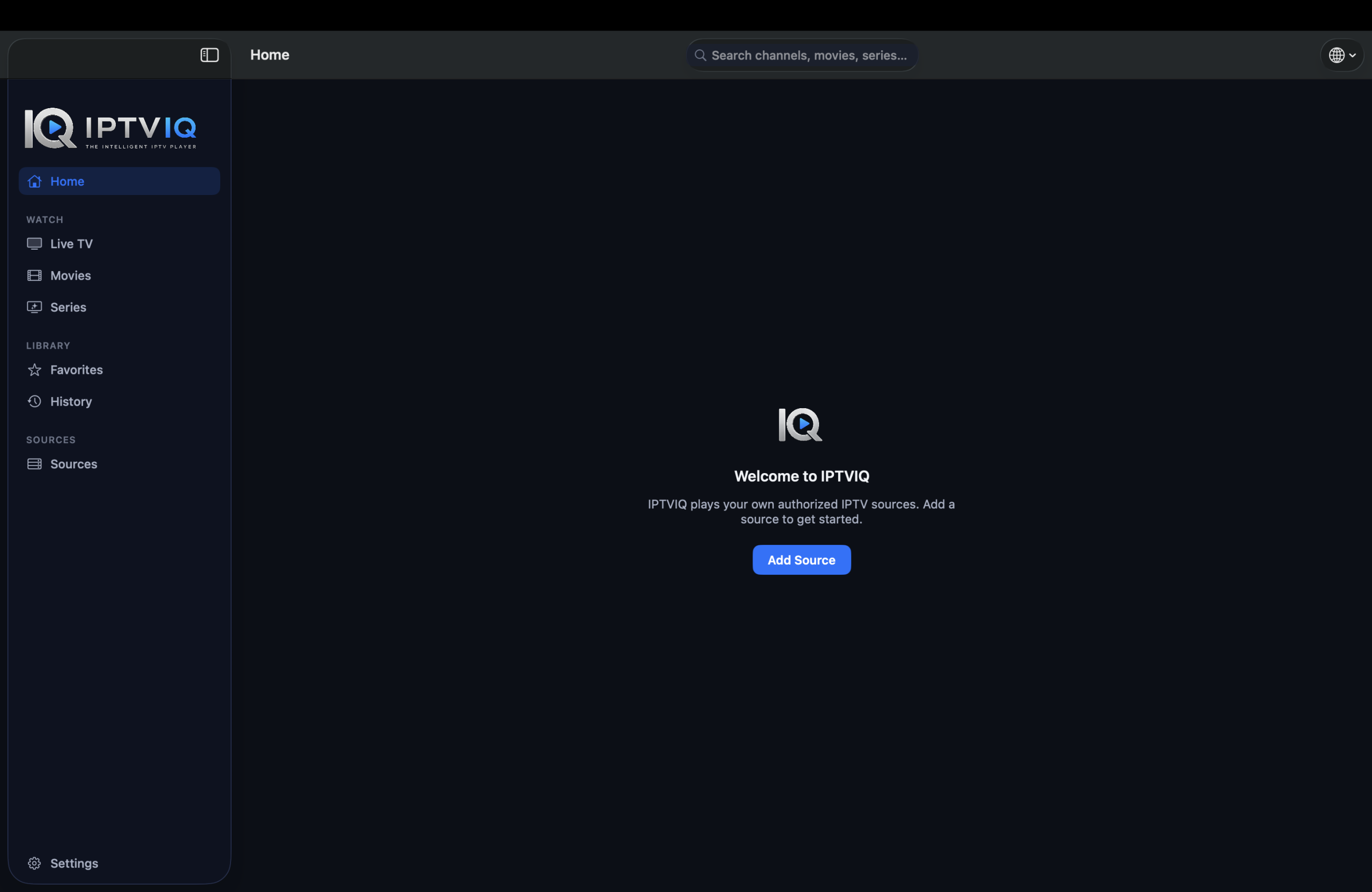
IPTVIQ is an IPTV media player designed for macOS.
The application does not include or sell IPTV subscriptions, television channels or media content.
Instead, users connect their own compatible sources and IPTVIQ handles the organization and playback experience.
Once a source has been added, the application can organize available content into familiar areas such as Live TV, Movies and Series rather than presenting everything as one enormous playlist.
This creates an experience much closer to a modern streaming application.
Native IPTV on macOS
IPTVIQ is currently available for Mac and requires macOS 14 or later.
It supports both Apple Silicon and Intel-based Macs, giving users access to the same core IPTV experience across supported Mac hardware.
The native approach is important because IPTV is not simply about decoding a video stream.
A complete desktop player also needs to manage navigation, program information, playback state, multiple sources, profiles, recording and network configuration without making the experience unnecessarily complicated.
IPTVIQ brings these elements together in a single Mac application.
Bring Your Own IPTV Source
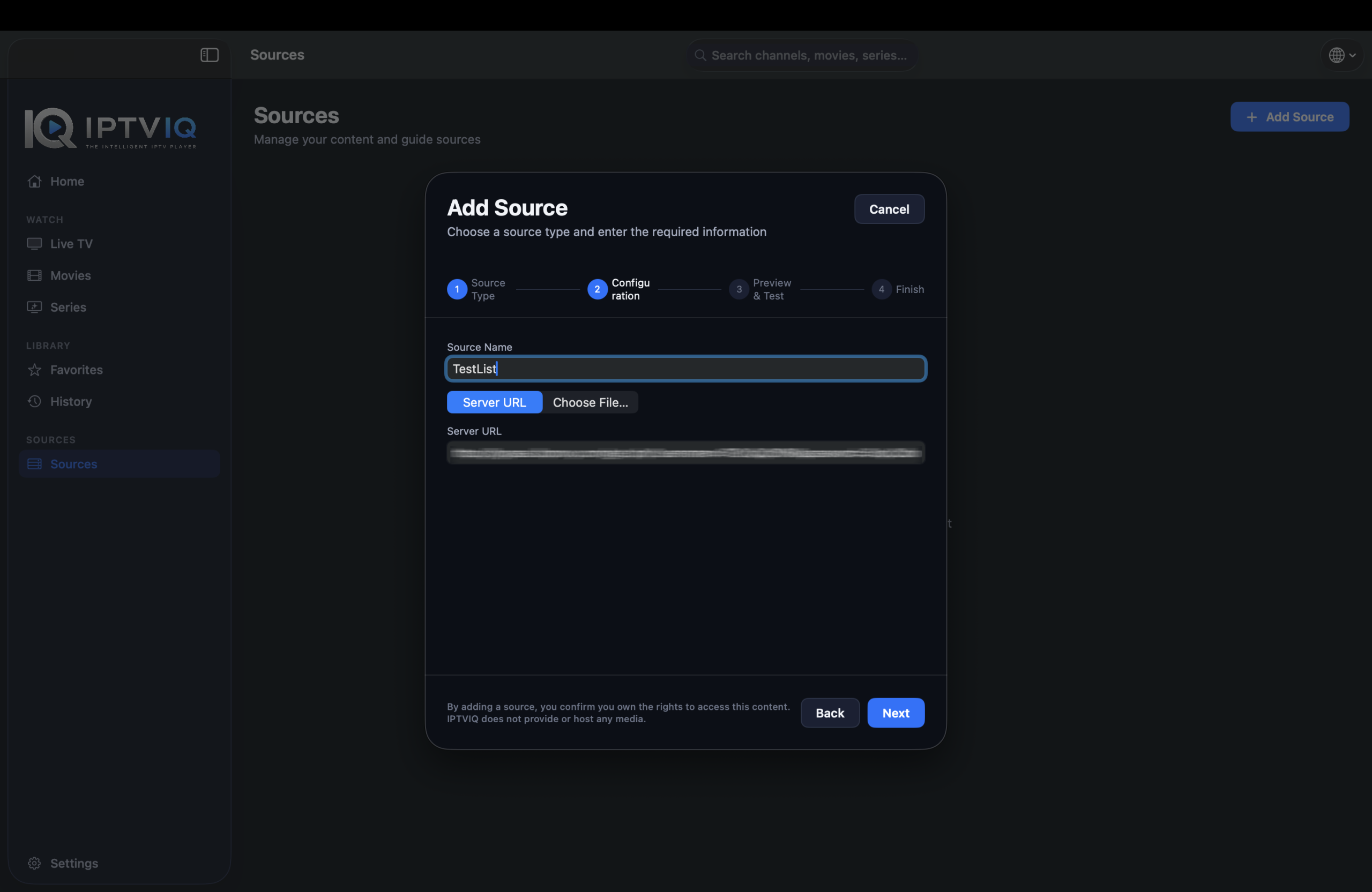
IPTVIQ follows a Bring Your Own Source model.
Users can connect compatible IPTV services they already have access to rather than purchasing content from IPTVIQ.
Supported source technologies include:
- Xtream Codes
- M3U
- M3U8
- XMLTV
- Stalker
- MAG
- Ministra
Multiple sources can be added to the application.
This is particularly useful for users who manage more than one authorized IPTV source and want to access them through a consistent interface.
Live TV Without the Endless Channel List
Large IPTV playlists can easily contain hundreds or thousands of channels.
Finding something to watch should not require endlessly scrolling through them.
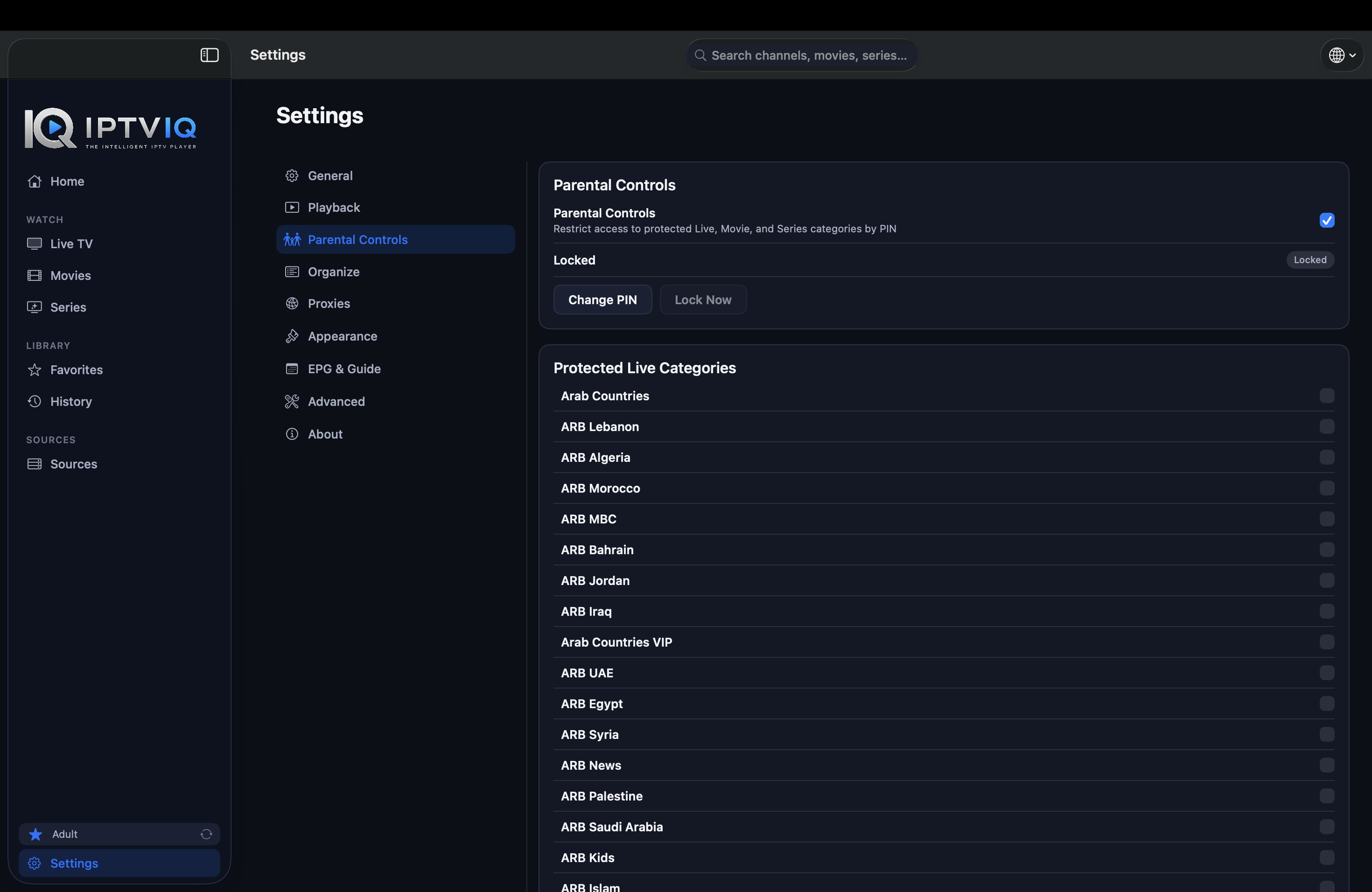
IPTVIQ organizes Live TV into categories and provides tools designed to make channel navigation faster.
Numeric channel entry allows users to jump directly to a channel, while Recall provides convenient access to the previously watched channel.
The application also integrates guide information into the Live TV experience.
EPG and Mini-Guide
Electronic Program Guide information provides context that a basic playlist cannot.
Instead of seeing only a channel name, viewers can see programming information when suitable EPG data is available.
IPTVIQ’s Mini-EPG makes it possible to check relevant program information without completely leaving the stream.
Per-channel guide information provides additional detail when users want to see what is scheduled.
As with any IPTV player, the quality and availability of EPG information depend on the data supplied by the connected source.
Movies and Series
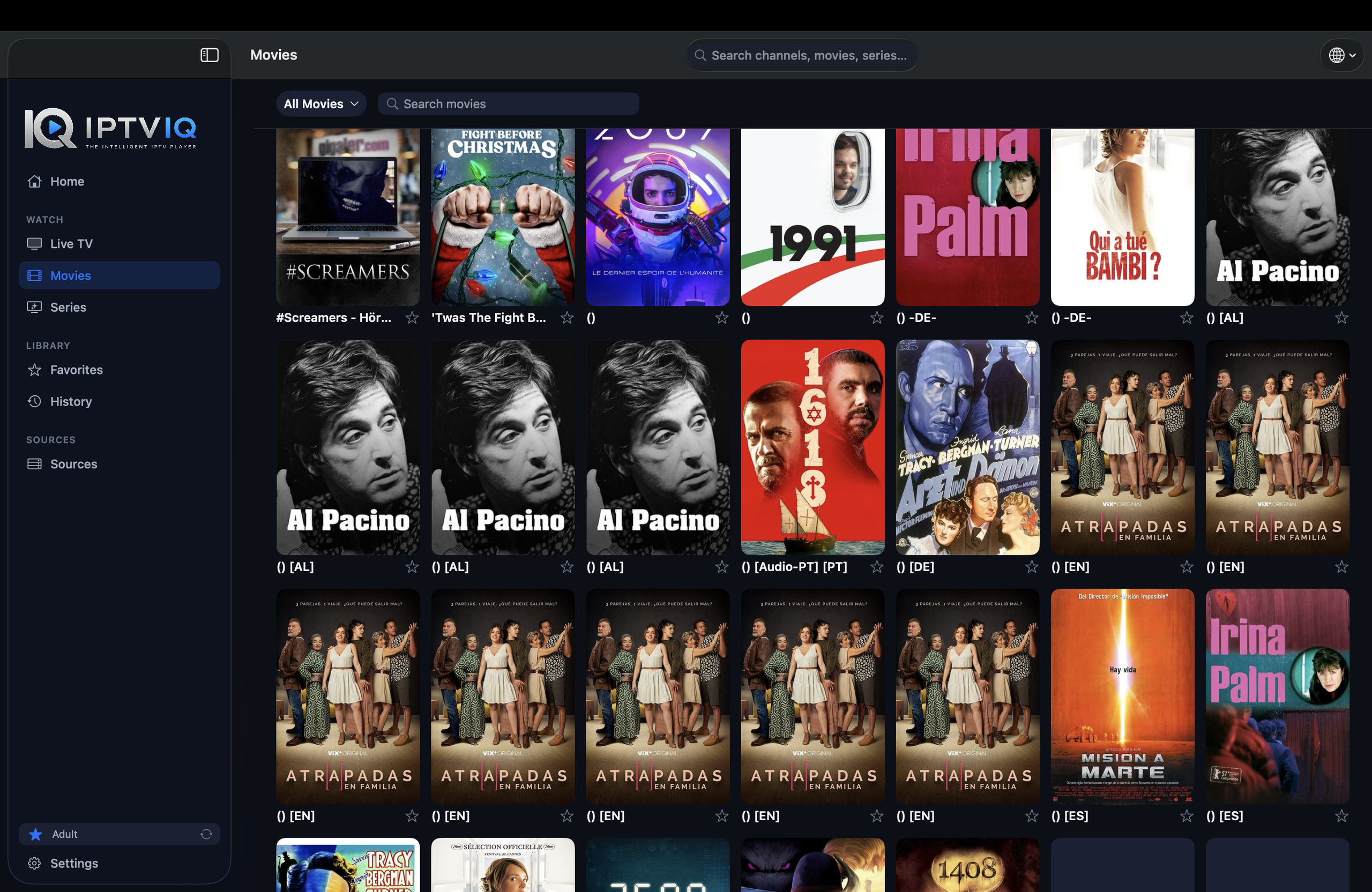
Live television is only one part of many IPTV libraries.
IPTVIQ also organizes supported on-demand movies and television series.
Rather than mixing VOD content into the same interface as Live TV, Movies and Series receive their own browsing experience.
Categories help organize larger catalogs, while viewing continuity features make it easier to return to content later.
Continue Watching
One of the conveniences users expect from modern streaming applications is the ability to stop watching and return later.
IPTVIQ includes Continue Watching functionality for supported VOD content.
If a viewer stops a movie partway through, the application can maintain that viewing position.
The same principle applies to episodic content, where next-episode handling helps maintain continuity between episodes.
This removes much of the manual work associated with remembering where you stopped.
Favorites and Personal Viewing History
Not every member of a household watches the same channels.
IPTVIQ allows viewers to create Favorites, providing quick access to frequently watched content.
Viewing history also helps maintain continuity between sessions.
More importantly, these preferences can be associated with individual profiles.
This means the IPTV experience can adapt to different people instead of treating everyone using the Mac as the same viewer.
Profiles Built for Households
IPTVIQ includes profile support for households where multiple people use the same IPTV setup.
Each person can maintain their own viewing environment, including relevant history and Favorites.
This separation becomes especially valuable when parents and children use the same application.
Rather than combining everyone’s viewing activity into one history, profiles provide a cleaner and more private experience.
Kids Profiles and Content Restrictions
Children often require a different media environment from adults.
IPTVIQ includes Kids Profiles designed around approved content.
Instead of simply hiding a few menu items, restrictions can apply throughout important parts of the application, including browsing, search, guide information and playback.
This provides parents with greater control over which content is available through a child’s profile.
The IPTV source may contain a much larger catalog, but the Kids Profile can expose only the content considered appropriate for that viewer.
DVR Recording on Mac
Live television does not always fit the viewer’s schedule.
IPTVIQ includes manual DVR recording for supported streams.
Users can record live content they are authorized to watch and save the recording to a selected local folder.
Keeping recordings local also makes practical sense.
Video recordings can consume significant storage, so they do not necessarily need to become part of a cloud-based account or synchronization system.
The Mac remains responsible for storing the actual recording.
Catch-Up and Watch from Start
Some IPTV providers maintain recent broadcast archives.
When the connected provider supports Catch-Up functionality, IPTVIQ can make use of that capability.
Depending on the source, viewers may be able to return to recent programming or watch a supported program from its beginning.
This capability is provider-dependent.
IPTVIQ does not create archive content that does not exist at the source.
Watch Two Streams with Multiview
Some viewing situations benefit from having more than one live channel visible.
IPTVIQ supports Multiview with two streams displayed side by side.
Sports provide an obvious example.
If two games are happening simultaneously, a viewer can follow both without repeatedly switching between channels.
Multiview can also be useful for news coverage, live events and other situations where monitoring two broadcasts is valuable.
Smart Recovery
Streaming over the internet introduces occasional connection problems.
A temporary interruption does not always mean a stream has permanently failed.
IPTVIQ includes Smart Recovery, a playback watchdog and reconnection mechanism designed to detect genuine playback stalls and attempt to restore the stream.
It is important to understand what this means.
Smart Recovery is not an AI system and cannot make an unreachable IPTV source suddenly available.
Instead, it provides automatic recovery logic for situations where playback has been interrupted temporarily.
Independent Proxy Settings for Every Source
Advanced users may need different network configurations for different IPTV sources.
IPTVIQ provides per-source proxy routing.
Supported options include:
- Direct
- HTTP
- HTTPS
- SOCKS5
Because these settings are configured independently, one IPTV source can use a proxy while another source connects directly.
This provides substantially more flexibility than a single global proxy setting.
Privacy and Local-First Design
An IPTV player can contain information users may prefer to keep on their own device.
IPTVIQ uses a local-first approach to important application data.
Sources are imported and organized locally, while profiles and viewing information can remain part of the local application environment.
This architecture keeps the player focused on managing and playing the sources supplied by the user.
Most importantly, IPTVIQ does not need to become the provider of the content being watched.
How IPTV Playback Works
The basic architecture is straightforward.
First, the user provides a compatible IPTV source they are already authorized to access.
IPTVIQ then imports relevant information such as channels, categories, EPG data and VOD metadata.
That information is organized into an easier-to-navigate catalog.
Finally, playback occurs through the IPTVIQ player.
The simplified flow looks like this:
Authorized IPTV Source → IPTVIQ → Organized Library → Native Playback
IPTVIQ acts as the player and organizational layer.
It does not need to host or redistribute the underlying television channels or movies.
The Future: IPTVIQ Beyond the Mac
The current IPTVIQ experience is centered on macOS, but additional platforms are planned.
The long-term direction opens an interesting possibility: one IPTV environment across several personal devices.
A future user might configure sources on a Mac, watch television in the living room and continue VOD content from another device.
This is where synchronization can become valuable.
What Cloud Sync Could Add
Cloud Sync should focus on small pieces of information that improve continuity between a user’s devices.
Consider this example:
A user begins watching a movie on their Mac.
They stop at:
00:42:00
Later, they open IPTVIQ on another synchronized device.
Instead of starting again:
Continue Watching → 00:42:00
Favorites could follow the same principle.
Marking a sports channel as a Favorite on one device could eventually make the same preference available on another device.
Suitable synchronization information could include:
- Favorites
- Watch history
- Resume positions
- Profiles
- Kids Profile approvals
- Blocklists
- Selected settings
- Relevant EPG mappings
Large DVR recordings, however, can remain local.
Syncing Metadata Is Different from Streaming Video
There is an important architectural distinction here.
Cloud synchronization does not require IPTV streams to pass through IPTVIQ infrastructure.
The video path can remain:
IPTV Provider → User’s Device
Meanwhile, synchronization can operate separately:
Device A ↔ Sync Service ↔ Device B
Only the necessary metadata needs to synchronize.
This means a resume position or Favorite can move between devices without retransmitting the IPTV video itself.
In simple terms:
Cloud Sync is not Cloud Streaming.
IPTVIQ Is a Player, Not an IPTV Service
Anyone considering IPTVIQ should understand one final distinction.
IPTVIQ does not provide channels.
It does not sell IPTV subscriptions.
It does not supply movies or television series.
Users need their own compatible and authorized IPTV source.
The role of IPTVIQ is to take that source and provide a better way to organize, navigate and watch it.
Final Thoughts
IPTVIQ brings together many of the features expected from a modern media application while maintaining the flexibility of IPTV.
Live TV and EPG provide the foundation, while Movies, Series and Continue Watching improve the VOD experience.
Profiles, Favorites and Kids restrictions make the application more suitable for households. DVR and Catch-Up expand what users can do with live broadcasts, while Multiview and Smart Recovery address practical everyday viewing scenarios.
Multiple source support and independent proxy routing add another level of flexibility for advanced IPTV users.
Rather than trying to become another IPTV provider, IPTVIQ focuses on being the software between an authorized source and the viewer.
For Mac users looking for a more organized and capable way to manage their IPTV sources, that distinction may be exactly what makes IPTVIQ interesting.